
Meet
Calls, team chat and meetings in one place.
Explore Meet →wRelay · communication
Company mail that sorts itself. Company email alongside your team’s conversations and shared work.
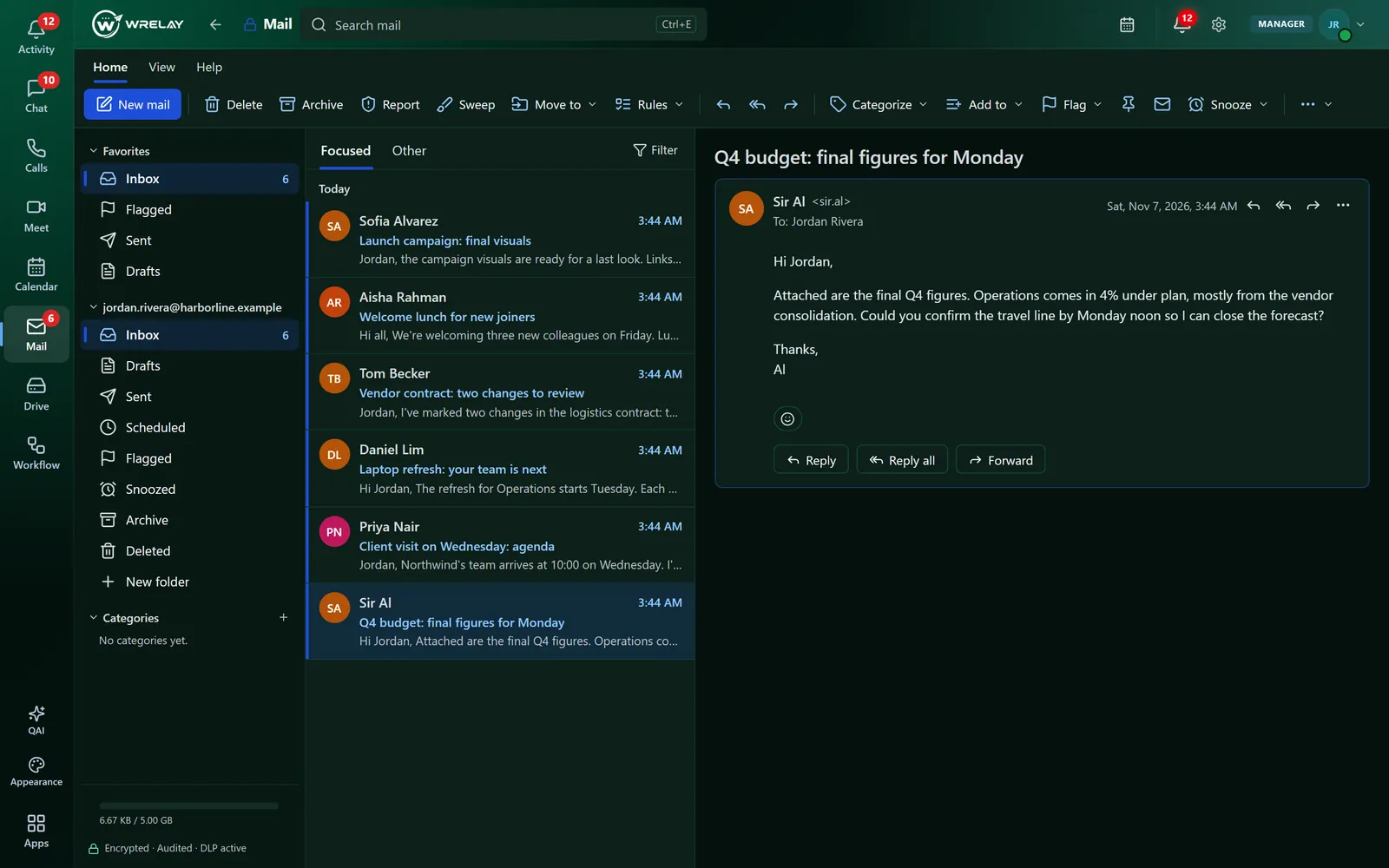
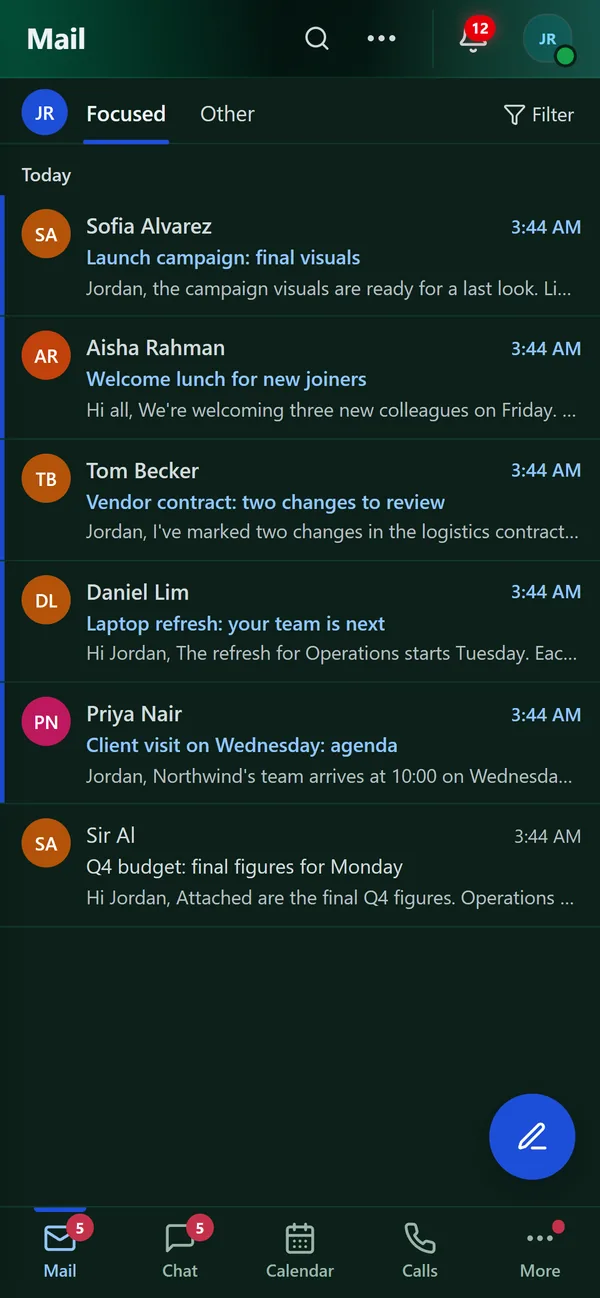
Screens from a demo workspace. The messages, files and events are examples.
What’s inside
What to explore
01
Work with your company mailbox.
02
Organize messages and attachments.
03
Access depends on company permissions and configured services.
Your other mailboxes
If you use Gmail or Google Workspace, you can connect that mailbox to wRelay Mail and work with it beside your wRelay mailbox. Connecting is your choice, and you can remove it at any time.
Permission to read your mail, so wRelay Mail can list and show your messages, and to send mail as you, so the messages you write in wRelay go out from your Gmail address. You sign in on Google’s own page, and wRelay never sees your Google password.
It shows that mailbox inside wRelay Mail, to you only, and sends only the messages you write. If you ask, it also imports your Gmail into your wRelay mailbox. It keeps a copy of the messages while the mailbox is connected. It does not sell this data, use it for advertising or use it to train AI models.
Remove the account in wRelay Mail and wRelay deletes its copy, unless your company has placed a legal hold on your mail. Mail you imported stays in your wRelay mailbox. You can also remove wRelay’s access in your Google Account, under Security.
wRelay’s use and transfer of information received from Google APIs adheres to the Google API Services User Data Policy, including the Limited Use requirements. Read the privacy policy →
Connecting Gmail is being introduced in stages, so you may not see it in your workspace yet.
Calls, team chat and meetings in one place.
Explore Meet →Plan meetings and keep your team’s schedule in view.
Explore Calendar →On every device
Use wRELAY in any browser, or install it on your phone or computer in seconds. It opens as an app of its own, with Mail, Chat, Calendar and Calls one tap apart.
Open wrelay.io in Chrome and tap Install app.
Open wrelay.io in Safari, tap Share, then Add to Home Screen.
In Chrome or Edge, choose Install in the address bar (or the app's Install button). In Safari on a Mac, choose File, then Add to Dock. wRELAY opens in its own window, with your unread count on its icon.
Discuss product access, seats and capacity before company setup.